

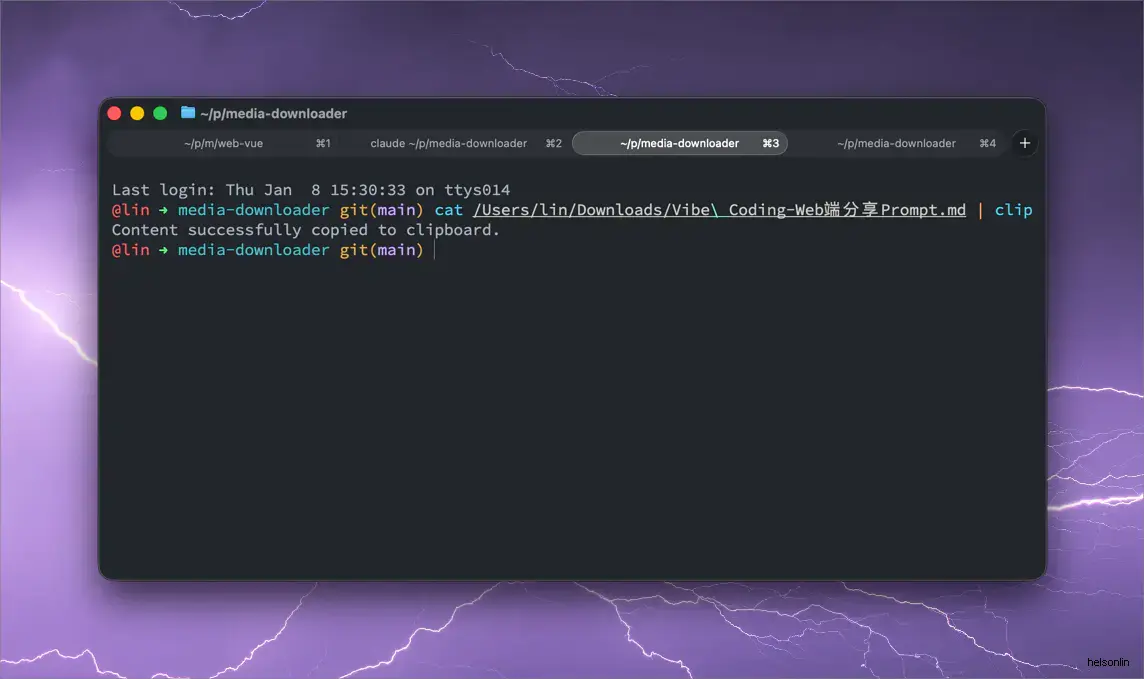
本质是想在终端内直接复制代码文件的内容。不用去 finder 内打开文件,然后再复制文本。
直接将下面的文件放置到 /usr/local/bin 。
#!/usr/bin/env python3
import sys
import pyperclip
import argparse
import subprocess
import os

def copy_image_to_clipboard(image_path):
    if not os.path.exists(image_path):
        raise FileNotFoundError(f"Image file not found: {image_path}")

    platform = sys.platform
    if platform == "darwin":  # macOS
        # Using osascript to copy image to clipboard
        # This requires the full path to the image file
        script = f'set the clipboard to (read (POSIX file "{image_path}") as «class PNGf»)'
        try:
            subprocess.run(['osascript', '-e', script], check=True, capture_output=True)
            print(f"Image '{image_path}' successfully copied to clipboard.")
        except subprocess.CalledProcessError as e:
            raise RuntimeError(f"Failed to copy image using osascript: {e.stderr.decode().strip()}")
    elif platform.startswith("linux"):  # Linux
        # Using xclip to copy image to clipboard
        # Requires xclip to be installed: sudo apt-get install xclip
        try:
            with open(image_path, 'rb') as f:
                subprocess.run(['xclip', '-selection', 'clipboard', '-t', 'image/png', '-i'], stdin=f, check=True, capture_output=True)
            print(f"Image '{image_path}' successfully copied to clipboard.")
        except FileNotFoundError:
            raise RuntimeError("xclip not found. Please install it (e.g., sudo apt-get install xclip).")
        except subprocess.CalledProcessError as e:
            raise RuntimeError(f"Failed to copy image using xclip: {e.stderr.decode().strip()}")
    elif platform == "win32":  # Windows
        # Using PowerShell to copy image to clipboard
        # This requires the full path to the image file
        # Note: This might not work for all image formats, PNG is generally safe.
        # For more robust image copying on Windows, a dedicated Python library might be needed.
        powershell_command = f'Add-Type -AssemblyName System.Windows.Forms; [System.Windows.Forms.Clipboard]::SetImage([System.Drawing.Image]::FromFile("{image_path}"))'
        try:
            subprocess.run(['powershell', '-Command', powershell_command], check=True, capture_output=True)
            print(f"Image '{image_path}' successfully copied to clipboard.")
        except subprocess.CalledProcessError as e:
            raise RuntimeError(f"Failed to copy image using PowerShell: {e.stderr.decode().strip()}")
    else:
        raise NotImplementedError(f"Image copying not supported on platform: {platform}")

def main():
    parser = argparse.ArgumentParser(description="Copy content to clipboard.")
    parser.add_argument('--image', '-i', type=str, help="Path to an image file to copy to clipboard.")
    args = parser.parse_args()

    if args.image:
        try:
            copy_image_to_clipboard(args.image)
        except (FileNotFoundError, RuntimeError, NotImplementedError) as e:
            print(f"Error: {e}", file=sys.stderr)
            sys.exit(1)
    else:
        # Read from stdin for text content
        content = sys.stdin.read()

        if not content:
            print("No content received from stdin.", file=sys.stderr)
            sys.exit(1)

        try:
            pyperclip.copy(content)
            print("Content successfully copied to clipboard.")
        except pyperclip.PyperclipException as e:
            print(f"Error copying to clipboard: {e}", file=sys.stderr)
            print("Please ensure you have a clipboard tool installed and configured (e.g., xclip/xsel on Linux).", file=sys.stderr)
            sys.exit(1)

if __name__ == "__main__":
    main()
使用方式
直接通过管道符来实现复制。
cat /usr/local/bin/clip | clip